


How do I delete my Proxi account?
The easiest way to delete your account is to use the Proxi app, available on the Play Store (Android) or the App Store (iOS). Once logged into your account, you can request its complete deletion.
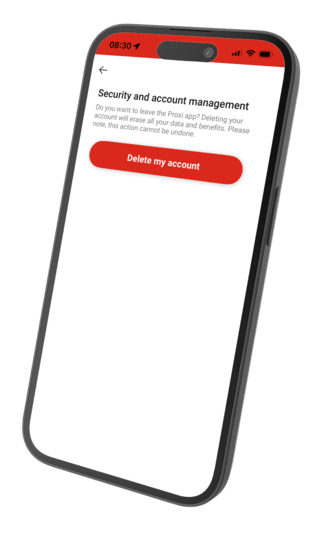
Steps to follow:
1) Log in to your Proxi account.
2) Open the menu, then select Security and Account Management.
3) Tap Delete my account.
I don’t use the app, what should I do?
If you do not use the Proxi app, you can submit your request using the form below. Please enter your username and password. A customer service representative will then proceed with the complete deletion of all information related to your Proxi Extra loyalty account.

You are about to request the deletion of your personal data associated with your Proxi Extra account. Please fill in the following information so that we can process your request. This action is irreversible.